
How to Find Qibla With Camera Mode
Camera mode places the Qibla direction marker over the live view from your iPhone or iPad. Use it after the bearing is stable, then align the marker with a wall, doorway, or floor line you can follow during prayer.
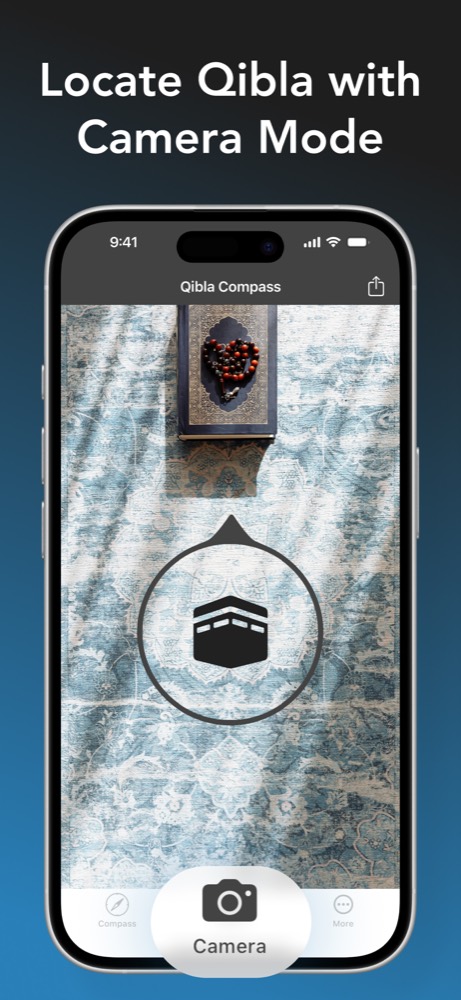
What camera mode changes
A compass dial gives you a direction relative to north, but that can be hard to translate into the room. Camera mode keeps the same location-based bearing and presents it over what the camera sees. The practical benefit is spatial: you can point to a specific wall edge or object instead of remembering an abstract angle.
Camera mode does not remove the need for a clean compass reading. Check location access and move away from magnetic interference first. If the marker moves constantly on the compass screen, it will not become reliable simply because the camera is open.
Set up the camera Qibla finder
- Open Qibla Compass and let the location update.
- Hold the phone flat long enough to confirm that the compass marker settles.
- Switch to Camera mode and grant camera permission if requested.
- Turn slowly until the Qibla marker sits over a clear part of the room.
- Choose a fixed edge or point that matches the indicated line.
A doorway, ceiling line, tile seam, or corner usually works better than a movable chair or bag. Put the phone down after establishing the line.
Qibla Compass includes camera mode on iPhone and iPad, with a marker designed to make the calculated direction easier to see in a real room.
Try Camera ModeUse camera mode in a hotel or workplace
New rooms are where the camera view is most helpful. Start the reading away from elevators, speakers, metal desks, and charging stands. Once the marker is stable, connect it to a permanent feature in the room and place your prayer mat along that line.
If you return to the same space, use the saved room reference rather than repeating the phone check every time. Recheck after moving to a different floor or building, or if the original direction was established near a source of interference.
Common camera-mode mistakes
- Opening the camera before the location and compass reading have settled.
- Choosing a movable object as the prayer-line reference.
- Standing beside a steel frame, speaker, or magnetic accessory.
- Assuming the camera itself calculates a different bearing.
Before putting the phone down, look away and return to the chosen line once. If the marker settles on the same point, the reference is easier to trust and remember.
Camera Qibla questions
Is camera mode more accurate than the compass?
Camera mode presents the calculated direction over your surroundings. It is useful for choosing a physical line, while the bearing still depends on location and compass data.
Does Qibla camera mode take a photo?
The mode uses the live camera view to show the direction marker. You use that view to relate the bearing to the room around you.